
Introduction
Choosing an LED display based only on pixel pitch can lead to an expensive mistake. A P1.25 LED screen may provide excellent close-up clarity, but if the audience is 10 meters away, much of that extra pixel density may provide little visible benefit. On the other hand, choosing a coarse pixel pitch for a close-viewing installation can make individual pixels noticeable and small text difficult to read.
This is why pixel pitch vs viewing distance should always be considered together. The right choice depends not only on how far viewers are from the screen, but also on screen size, content detail, installation conditions, and the expected viewing experience.
This guide explains how these factors work together, why the common 1:1 viewing-distance rule is only a starting point, and how to choose a practical pixel pitch for different LED display applications.
Last Updated: September 2026
Quick Recap: What Is Pixel Pitch?
Pixel pitch is the distance between the centers of two adjacent pixels on an LED display, measured in millimeters. A smaller pixel pitch means pixels are packed more closely together, allowing the display to reproduce finer details at shorter viewing distances.
For example, P1.25 has a 1.25 mm pixel pitch, while P3.91 has a 3.91 mm pitch. The difference becomes important when viewers are close enough to distinguish individual pixels.
For a more detailed explanation, see our guide to What Is Pixel Pitch?

Quick Recap: What Is Viewing Distance?
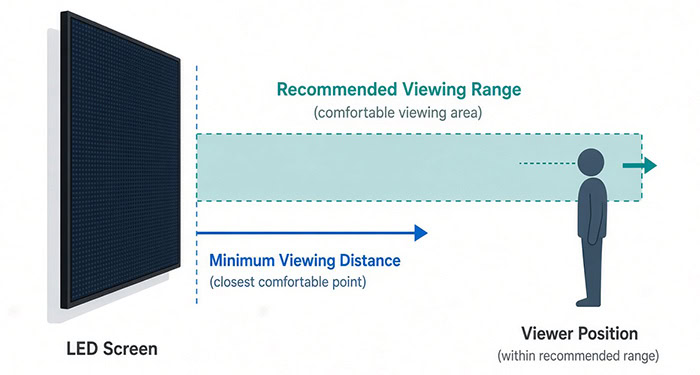
Viewing distance is the distance between the LED screen and the viewer. However, it is more useful to think about viewing distance as a range rather than a single number.
1.Minimum Viewing Distance
This is the approximate distance at which individual pixels become difficult to distinguish during normal viewing. If a viewer moves closer than this point, the pixel structure may become more noticeable.
2.Recommended Viewing Distance
This is the range where the display provides a comfortable viewing experience while maintaining enough detail for the intended content.
These two distances should not be treated as the same number. A screen may look acceptable at its minimum viewing distance, while a slightly greater distance may provide a more comfortable and natural viewing experience.
If you already know your screen size and expected audience distance, an LED Viewing Distance Calculator can provide a useful starting estimate. However, a calculator should be treated as a planning reference rather than the final basis for pixel-pitch selection.
3.Pixel Pitch vs Viewing Distance: How Are They Related?
The relationship is straightforward:
Smaller pixel pitch allows for closer viewing, while larger pixel pitch is generally better suited to longer viewing distances.
The reason is pixel visibility. When viewers are close to a display, they have a greater ability to distinguish the individual pixels that form an image. As viewing distance increases, those pixels occupy a smaller portion of the viewer’s visual field and gradually blend into a continuous image.
For example, a P1.25 display may be appropriate when viewers are only a few meters away, particularly when the content includes presentations, detailed graphics, or small text. A P10 outdoor display, by comparison, is designed for situations where viewers are much farther away.
But this relationship is not a simple equation.
Two screens with the same pixel pitch can produce different viewing experiences depending on their size, content, brightness, contrast, viewing angle, and installation conditions. That is why a pixel pitch chart should be used as a reference rather than a fixed specification rule.
4.Why the 1:1 Rule Is Only a Starting Point
One of the most common rules in the LED display industry is:
1 mm of pixel pitch ≈ 1 meter of minimum viewing distance.
Under this rule:
- 25 → approximately 1.25 m
- 5 → approximately 2.5 m
- 91 → approximately 3.9 m
- P6 → approximately 6 m
- P10 → approximately 10 m
This is useful because it provides a quick first estimate. It is simple enough to apply during the early stages of project planning.
However, it should not be interpreted as a universal industry standard.
The actual viewing experience can change according to several factors:
| Factor | How It Can Affect Pixel Pitch Selection |
| Viewing distance | Closer viewers generally require finer pitch |
| Content detail | Small text and detailed graphics favor finer pitch |
| Screen size | Larger displays can sometimes use a slightly larger pitch |
| Visual acuity | People with sharper vision may notice pixel structure sooner |
| Ambient light | Contrast and perceived image clarity can change with lighting |
| Viewing angle | Off-axis viewing can make pixel structure more noticeable |
| Installation height | A high-mounted screen changes the viewer’s visual angle |
| Camera use | Broadcast or camera-facing screens may require additional consideration |
The important point is that 1:1 is a starting point, not the final answer.
5.Pixel Pitch, Viewing Distance and Human Vision
A useful way to understand this relationship is to consider the angular size of a pixel.
The physical size of a pixel does not change when a viewer moves farther away. What changes is how large that pixel appears to the eye.
A simple approximation is:
Angular size ≈ Pixel pitch ÷ Viewing distance
Both values should use the same unit.
For example, consider a P2.5 LED display viewed from 5 meters:
- Pixel pitch = 2.5 mm
- Viewing distance = 5,000 mm
- Angular size ≈ 5 ÷ 5,000
- Angular size ≈ 0005 radians
This is approximately 1.7 arcminutes.
At a greater distance, the same 2.5 mm pixel occupies an even smaller visual angle. This helps explain why a pixel structure that is noticeable up close can appear completely blended at a distance.
Human visual acuity also varies. A viewer with very sharp eyesight may notice fine pixel structure sooner than someone with average visual acuity. However, that does not automatically mean every project needs the smallest available pixel pitch.
The more useful engineering question is:
Will the audience notice a meaningful improvement from the finer pixel pitch at the actual viewing distance?
If the answer is no, paying significantly more for a finer pitch may not provide a practical return.
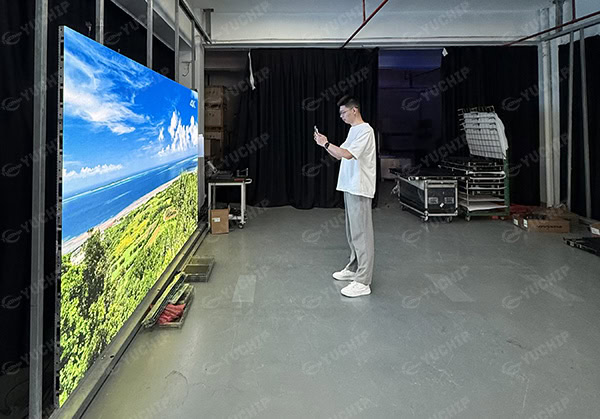

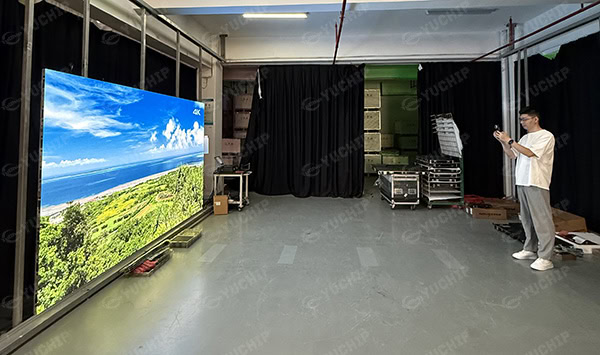

Pixel Pitch Viewing Distance Chart
The following chart provides a practical reference for matching common pixel pitches with approximate viewing distances.
| Pixel Pitch | Approx. Minimum Viewing Distance | Typical Comfortable Range | Suitable Content |
| P0.9 | ~0.9 m | 1.5–3 m | Fine text, detailed graphics, close-up viewing |
| P1.25 | ~1.25 m | 2–4 m | Presentations, corporate displays, retail |
| P1.86 | ~1.9 m | 3–5 m | Detailed video, indoor advertising |
| P2.5 | ~2.5 m | 4–7 m | General video, presentations, worship |
| P3.91 | ~3.9 m | 6–10 m | Events, stages, large-format video |
| P5 | ~5 m | 8–12 m | Large signage, semi-outdoor applications |
| P6 | ~6 m | 9–15 m | Outdoor advertising, sports applications |
| P10 | ~10 m | 15–25 m+ | Billboards, roadside advertising |
| P16 | ~16 m | 25–40 m+ | Large outdoor advertising |
These ranges are practical planning references rather than fixed industry standards. Actual viewing comfort depends on content, screen size, display technology, visual acuity, viewing angle, ambient light, and installation conditions.
A useful way to read this chart is to start with the closest regular viewer, then check whether the selected pitch also makes economic sense at the typical viewing distance.
For example, if the closest viewer is 5 meters away, P5 may meet the basic distance requirement. But if the screen will display detailed presentation slides and small text, choosing P2.5 or P3.91 may still provide a better viewing experience.

How to Choose Pixel Pitch Based on Viewing Distance
Rather than choosing a pixel pitch from a chart alone, use the following three-step process.
1.Consider the Closest Viewer
Start by identifying the shortest realistic viewing distance, not the distance of the average viewer.
For a conference room, this could be the first row of seats; for a retail display, it may be a shopper standing directly in front of the screen; for a large outdoor billboard, the closest meaningful viewing position may be much farther away.
If the closest viewer is too near for the selected pixel pitch, pixel structure can become distracting.
2.Consider the Typical Viewing Distance
Next, determine where most viewers will actually see the screen.
This matters because a screen can be technically suitable for close viewing but still be unnecessarily fine for the majority of its audience.
For example, if 90% of viewers are approximately 15 meters away, choosing an ultra-fine indoor pixel pitch simply because one person may occasionally stand closer is usually not the most cost-effective decision.
3.Consider Content Detail and Screen Size
Finally, look at what the screen will display.
Large text, simple graphics, and video generally place fewer demands on pixel density than spreadsheets, detailed maps, presentation slides, or small text.
Screen size matters as well. Pixel pitch determines pixel density, while screen dimensions determine the total number of pixels. A large P3.91 screen can contain a substantial number of pixels even though its pitch is much larger than P1.25.
This is why pixel pitch should be evaluated together with resolution, screen size, and content requirements, rather than treated as a standalone quality indicator.
Real-World Scenarios
1.Indoor Conference Room
Imagine a 3–4 meter-wide LED wall installed in a conference room, with the first row approximately 2.5 meters away.
The screen may display PowerPoint presentations, spreadsheets, video-conference feeds, charts, and small text. In this situation, a fine pitch such as P1.25 to P1.86 can be justified because viewers are close enough to benefit from the additional pixel density.
A P3.91 display may cost less, but if small text is a major part of the content, the lower pixel density can become noticeable.
Decision: Prioritize fine pixel pitch because both viewing distance and content detail demand it.
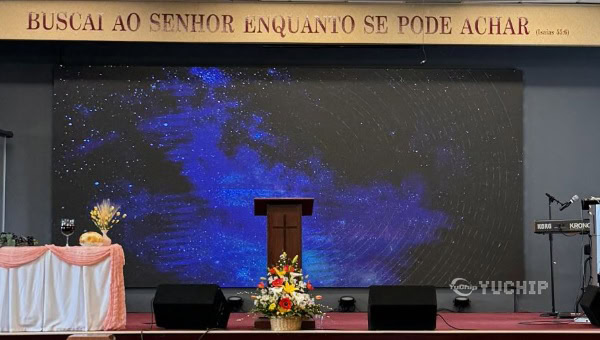
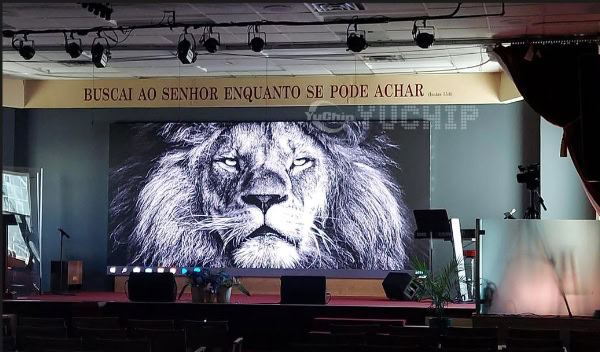
2.Church LED Wall
Consider a large LED wall in a church where the first row is approximately 6 meters from the screen, while most viewers are between 8 and 20 meters away.
The screen may display lyrics, camera feeds, worship videos, and large graphics. In this case, P2.5, P3.91, or another suitable pitch may be considered depending on the screen size and content requirements.
The key is not simply to select the finest pitch available. If viewers are several meters away and most content uses large text and video, a slightly larger pitch may deliver a similar perceived viewing experience at a lower project cost.
Decision: Balance close-viewing requirements, content detail, and budget.
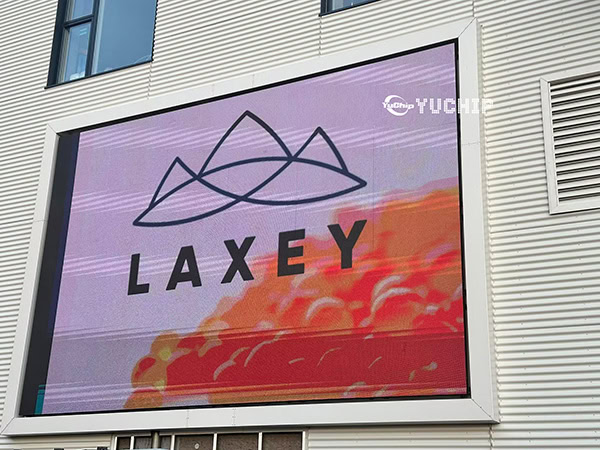
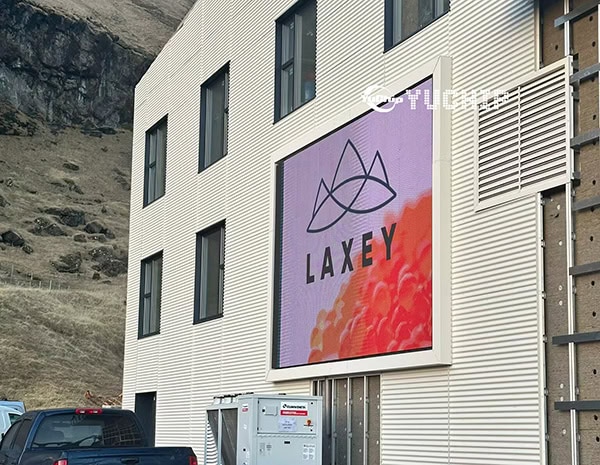
3.Outdoor Billboard
Outdoor billboards are usually viewed from much greater distances. A driver or pedestrian may see the display from 20, 30, 50 meters, or more.
In these situations, larger pixel pitches such as P6, P8, P10, or P16 can be appropriate depending on the application and viewing conditions.
The content also tends to use large headlines, logos, product images, and simple visual messages rather than small paragraphs of text. This reduces the need for extremely high pixel density.
Outdoor brightness, contrast, viewing angle, weather protection, and the actual traffic environment can be just as important as pixel pitch.
Decision: Prioritize visibility, content readability, brightness, and cost efficiency rather than maximum pixel density.
Real Project Example: Why the Finer Pixel Pitch Was Not Always the Better Choice
One of the most useful ways to understand pixel pitch vs viewing distance is to look at an actual project decision.
For example, suppose a customer initially requests a P2.5 LED display because they believe a finer pixel pitch will automatically provide a better viewing experience.
Before confirming the specification, the project team should examine:
- Screen dimensions
- First-row viewing distance
- Typical viewing distance
- Installation height
- Content type
- Required text size
- Budget
- Indoor or outdoor environment
If the first row is already several meters away and the screen primarily displays large video content, the additional pixel density of P2.5 may provide only a limited visible improvement compared with P3.91.
In that situation, recommending P3.91 is not simply a way to reduce the product price. It is a technical decision based on whether the additional pixels will produce a meaningful improvement for the audience.
📌 Real Project Case: How YuChip Saved Customer 30% Budget
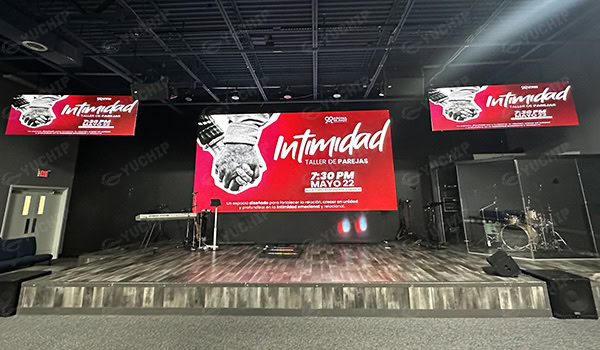
Figure: Project view from 1st row (6.5m distance)
- Project Type:
Church / Worship LED Wall - Main Screen Dimensions:
6m (W) × 3m (H) - First-Row Distance:
6.5 meters - Original Customer Request:
P1.95 LED Screen - Final Delivered Solution:
P2.6 Indoor LED Wall
💡 Technical Decision: The viewer is 6.5m away and main content is large worship text/video. P1.95 was an over-specification. Recommending P2.6 provided identical visual clarity while reducing total project cost by ~30%.
Common Mistakes to Avoid
1.Choosing the Smallest Pixel Pitch Automatically
A smaller pixel pitch is not automatically the best choice.
If viewers are far away, the extra pixel density may be difficult to perceive. Paying for a finer pitch can therefore increase the project cost without delivering a proportional improvement in viewing quality.
2.Choosing a Coarse Pitch for Close Viewing
The opposite mistake can be even more obvious. A large pixel pitch viewed from too close can make individual pixels visible, particularly when the screen displays small text or detailed graphics.
3.Ignoring Screen Size
Pixel pitch and screen resolution are related, but they are not the same thing.
A 2 m × 1 m display and a 10 m × 5 m display can use the same P3.91 pixel pitch while having very different total resolutions.
For a deeper explanation, see our article on Pixel Pitch vs Resolution.
4.Choosing Pixel Pitch Without Considering Installation Height
Viewing distance is not always a simple horizontal measurement.
A large LED wall mounted high above the audience may be viewed from a significantly different vertical angle. This is especially relevant for large screens in auditoriums, stadiums, churches, and public spaces.
The viewer’s position relative to the screen should therefore be considered together with the screen’s height and viewing angle.
5.Ignoring Content Type
A screen showing a large product video does not have the same pixel-density requirements as a screen displaying a spreadsheet or detailed data visualization.
Always ask what the audience needs to read or see—not just how far away they are.
Conclusion
The most important lesson from pixel pitch vs viewing distance is that there is no single pixel pitch that is best for every project.
The common 1:1 guideline—approximately 1 meter of viewing distance for every 1 mm of pixel pitch—is useful for an initial estimate, but it should not replace project-specific analysis. The closest viewer, typical viewing distance, content detail, screen size, installation height, viewing angle, and budget all influence the final decision.
A finer pixel pitch makes the most sense when viewers are close enough to benefit from the additional detail. When the audience is farther away, a larger pitch can often provide an equally effective viewing experience while reducing the overall cost.
In other words, the goal is not to choose the smallest pixel pitch possible. It is to choose the right pixel pitch for the actual viewing conditions.
That is the real value of understanding pixel pitch vs viewing distance.
Planning an LED screen project?
Feel free to Request a Free Full-Project Quote or simply fill out the form on the right. Our engineering team will provide a transparent, itemized cost breakdown within 24 hours.
FAQs
1.What is the best pixel pitch for a 5-meter viewing distance?
There is no single answer for every application. P2.5 to P3.91 can be a practical range for many projects at around 5 meters, but content detail, screen size, and the closest viewing position should also be considered.
2.Is the 1mm = 1 meter rule accurate for LED displays?
It is a useful rule of thumb for estimating minimum viewing distance, but it is not a universal standard. Actual viewing quality depends on factors such as content, screen size, visual acuity, viewing angle, and display technology.
3.Can a larger pixel pitch still look clear at close range?
It can look acceptable in some situations, but individual pixels become easier to distinguish as viewing distance decreases. For detailed content or small text, a finer pitch is generally more appropriate.
4.Does screen size affect the recommended pixel pitch?
Yes. Screen size determines the total number of pixels in addition to pixel pitch. A large LED display with a relatively large pitch can still provide substantial overall resolution.
5.Does viewing angle affect LED pixel pitch selection?
Yes. When a screen is viewed significantly off-axis, pixel structure and image uniformity can become more noticeable. Large installations should therefore consider both horizontal and vertical viewing angles.
6.Does text require a finer pixel pitch than video?
Often, yes. Small text, spreadsheets, detailed diagrams, and data visualization can reveal limitations in pixel density more easily than large video content. If detailed text is a major part of the application, a finer pitch may be worthwhile.
7.How does visual acuity affect LED screen viewing distance?
People with sharper visual acuity may be able to distinguish fine pixel structures from a greater distance than people with average eyesight. However, visual acuity is only one factor and should not be used alone to determine pixel pitch.
8.Is a smaller pixel pitch always better?
No. A smaller pitch generally provides higher pixel density and better close-range detail, but it also usually increases the cost of an LED display. If the audience is far away, the additional pixel density may provide little practical benefit.
9.Should I choose pixel pitch based on the closest viewer or the average viewing distance?
Both should be considered. The closest regular viewer helps determine the minimum acceptable pixel pitch, while the typical viewing distance helps determine whether investing in a finer pitch provides meaningful visual benefits.
10.How can I calculate the viewing distance for an LED screen?
An LED viewing-distance calculator can provide a useful starting estimate based on pixel pitch and other display parameters. For a final recommendation, the actual application, content, screen size, and viewing conditions should also be evaluated.