
Introduction
LED screen power consumption affects more than electricity bills. It also determines power supply requirements, operating costs, cooling needs, and the long-term cost of running a display.
If you operate a digital billboard, a commercial LED wall, or an indoor display, there are several ways to reduce energy use without sacrificing the brightness and image quality your audience needs.
The most effective approach combines proper brightness control, sensible operating schedules, efficient hardware, and accurate power consumption measurements. Before choosing a solution, however, you need to understand the difference between maximum power consumption and average power consumption.
Last Updated: October 2026

How Much Power Does an LED Screen Consume?
LED screen power consumption varies with screen size, pixel pitch, brightness, display content, hardware design, and operating conditions. Two LED displays with the same dimensions can consume different amounts of electricity.
Three power measurements are particularly useful when evaluating an LED display.
Maximum Power Consumption
Maximum power consumption is the highest power demand specified for a display under defined operating conditions. Manufacturers commonly provide this figure in watts per square meter (W/m²).
This value helps you estimate the electrical capacity required for the display. It is important when planning power distribution, cables, circuit protection, and other electrical infrastructure.
However, maximum power consumption does not represent the amount of electricity the screen will use continuously during normal operation.
Average Power Consumption
Average power consumption describes the power used under a particular set of operating conditions. It is generally more useful than maximum power consumption when estimating electricity costs.
The actual average depends on factors such as brightness, displayed content, refresh and control settings, and the efficiency of the display’s electrical system.
When comparing products, ask manufacturers how their average power figures were measured. Values obtained at different brightness levels or with different test patterns may not be directly comparable.
Black-Screen and Standby Power Consumption
A black screen does not necessarily mean zero power consumption. The control system, receiving cards, driver circuits, and power supplies may continue operating even when the display shows black content.
Standby consumption depends on whether the display is in a software-controlled standby state, a low-power state, or a state in which most of the system remains powered.
If your display operates for long hours, measuring its power consumption during black-screen and standby periods can help identify opportunities to reduce unnecessary electricity use.
How to Calculate LED Screen Power Consumption
You can estimate LED screen electricity consumption using the display area, its average power consumption per square meter, and the number of operating hours.
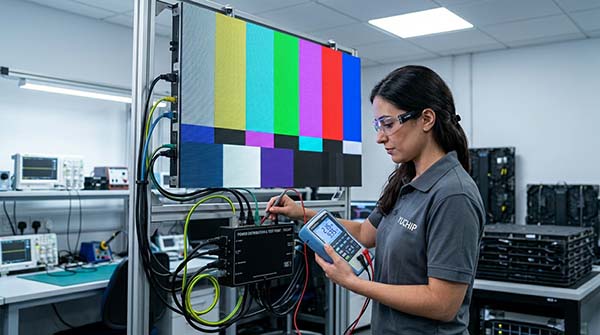
Step 1: Calculate the Display’s Average Power
Use the following formula:
Total average power (kW) = Display area (m²) × Average power consumption (W/m²) ÷ 1,000
For example, assume a display measures 10 m² and has an average power consumption of 200 W/m² under the operating conditions used for the estimate.
10 × 200 ÷ 1,000 = 2 kW
The display would therefore consume approximately 2 kWh for every hour it operates at that average power level.
This is an illustrative calculation, not a measured specification for a particular LED display. Use the average power figure supplied or measured for your actual operating conditions.
Step 2: Calculate Daily and Monthly Electricity Consumption
The formula for daily electricity consumption is:
Daily electricity consumption (kWh) = Average power (kW) × Operating hours per day
If the example display operates for 12 hours per day:
2 kW × 12 hours = 24 kWh per day
For 30 days of operation:
24 kWh × 30 days = 720 kWh per month
Step 3: Estimate Your Electricity Bill
Multiply the estimated monthly electricity consumption by your electricity rate.
Monthly electricity cost = Monthly consumption (kWh) × Electricity rate per kWh
If the electricity rate is $0.15 per kWh:
720 kWh × $0.15 = $108 per month
This estimate covers the LED display operating at the assumed average power. It does not automatically include separate air conditioning, ventilation, media players, or other equipment.
For an accurate project budget, use the actual electricity tariff and account for all equipment included in the installation.
Does Screen Size Affect Power Consumption?
Yes. If two displays have the same average power consumption per square meter and operate under the same conditions, the larger display will generally consume more electricity because it contains more display area.
For example, a 20 m² display with an average power consumption of 200 W/m² would use approximately twice as much power as a 10 m² display at the same average power density.
However, screen area alone cannot determine the power consumption of a real project. Brightness, LED efficiency, pixel pitch, power supply design, displayed content, and operating settings also matter.
A larger, efficiently designed display may use less power per square meter than a smaller display with a less efficient configuration.
Outdoor LED Screen Power Consumption: Example Cost Comparison
For an outdoor LED display, electricity costs depend on screen area, average power consumption, daily operating hours, and the local electricity rate.
For a real product reference, the Eco Pro outdoor LED display lists an average power consumption of 270 W/m² and a maximum power consumption of 800 W/m². Using this figure, you can estimate monthly electricity consumption for different screen sizes.
The following examples assume 12 operating hours per day, 30 days per month, and an electricity rate of $0.15 per kWh.
| Outdoor LED screen area | Estimated average power | Monthly electricity consumption | Estimated monthly electricity cost |
| 10 m² | 2.7 kW | 972 kWh | $145.80 |
| 20 m² | 5.4 kW | 1,944 kWh | $291.60 |
| 50 m² | 13.5 kW | 4,860 kWh | $729.00 |
Calculation method:
Monthly consumption = Screen area × 270 W/m² ÷ 1,000 × 12 hours × 30 days
Monthly electricity cost = Monthly consumption × $0.15/kWh
These figures are estimates based on the stated average power specification and assumed operating conditions. Actual consumption and electricity costs will vary with brightness, display content, operating settings, and local electricity rates. Separate control equipment and cooling systems are not included unless covered by the stated power figure.
The figures are based on the Eco Pro series’ stated average power consumption, not separate measurements for P3, P4, and P5 models. If you are comparing different pixel pitches, request the average power specifications for the exact models and test conditions you plan to use.
7 Practical Ways to Reduce LED Screen Power Consumption
Adjust Brightness to Match Ambient Light
Brightness is one of the most important operating factors affecting LED screen power consumption.
Running a display at maximum brightness throughout the day may waste electricity when the surrounding environment does not require that level of output.
For indoor displays, set brightness according to room lighting and viewing distance. In a controlled conference room, for example, maximum brightness may be unnecessary for most presentations.
Outdoor displays need a different approach. Direct sunlight requires higher brightness to maintain visibility, while cloudy conditions, shaded locations, and nighttime operation may allow lower settings.
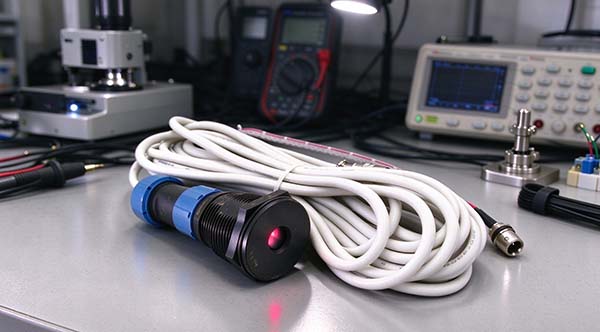
An ambient light sensor can automatically adjust brightness as environmental conditions change. This helps reduce unnecessary power use while keeping content readable.
The goal is not to make the screen as dim as possible. It is to use the lowest brightness that maintains the required visibility and image quality.
How to Set Up Automatic Brightness Adjustment
For outdoor LED displays, automatic brightness adjustment can reduce unnecessary power consumption by matching screen brightness to changing ambient light.
With compatible control systems, such as supported NovaStar configurations, the setup generally involves the following steps:
- Check hardware compatibility. Confirm that the sending card or multifunction card supports the selected light sensor and automatic brightness adjustment.
- Install the ambient light sensor. Position it where it can measure representative surrounding light without being unnecessarily affected by nearby lamps, reflections, or other localized light sources.
- Configure the brightness mapping. In the supported control software, set the relationship between ambient light levels and screen brightness. The screen should remain readable in bright conditions without running unnecessarily bright when ambient light decreases.
- Set a fallback brightness. Decide how the display should behave if the sensor fails or its readings become unreliable, where the system supports this option.
- Test the display under real conditions. Check the brightness response during daytime, cloudy conditions, and nighttime operation. Confirm that transitions are appropriate and that the screen remains legible.
The exact menu names, connection methods, and available options vary by controller, multifunction card, sensor, and software version. Check the relevant manufacturer’s manual before configuring the system.
The same general principle applies to other control-system brands, but the supported hardware and configuration procedure should be verified for the specific Colorlight system being used.
Automatic brightness adjustment should be configured to meet visibility requirements, not simply to keep brightness as low as possible.
Set Appropriate Operating Hours
An LED screen consumes electricity whenever its powered components are operating. If the display is not needed outside business hours, an appropriate operating schedule can reduce unnecessary energy use.
For example, a digital billboard that does not need to display content overnight may benefit from an automated shutdown schedule. A conference room display can be switched off when the building is closed.
Before configuring automatic shutdown, check whether the display needs to remain online for remote management, scheduled updates, monitoring, or emergency messages.
Where continuous availability is necessary, consider whether the display supports a suitable low-power state instead of a complete shutdown.
Optimize Display Content and Verify Its Power Impact
The content shown on an LED screen can affect its power consumption, but the actual savings depend on the display configuration, brightness settings, and image content. Dark backgrounds may reduce LED output in some applications, while bright white content generally requires more output from the RGB channels.
Rather than assuming that a darker design will always deliver a specific percentage of energy savings, compare power consumption under controlled conditions.
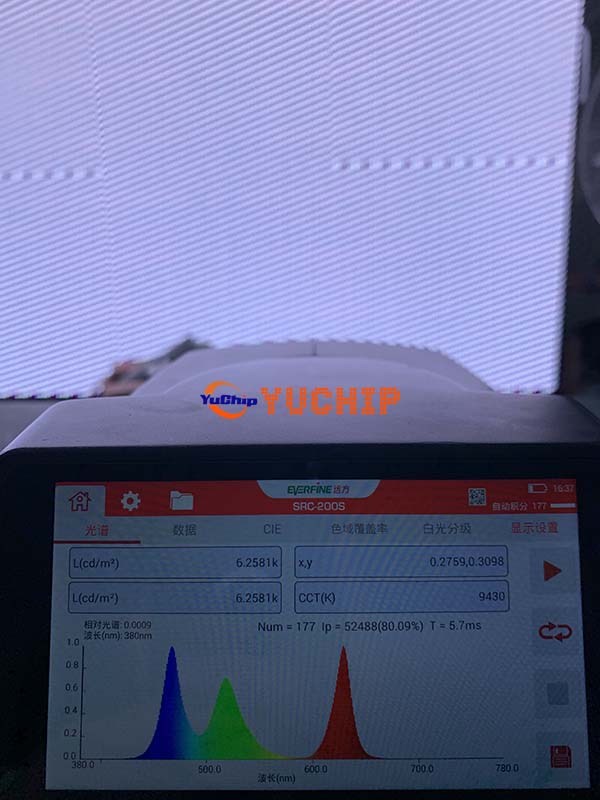
For a practical test, display a black image, a typical content image, and a predominantly white image on the same LED screen. Keep the screen area, brightness setting, refresh rate, and other operating parameters unchanged. Measure power consumption with an appropriate power meter and record the results for each test pattern.
This comparison helps establish how much the displayed content affects power demand on that particular screen. Record the ambient conditions and measurement method as well, so the results can be reproduced.
For commercial displays that run for many hours each day, use content appropriate to the application while avoiding unnecessarily high average image brightness. Any expected energy savings should be based on measured results rather than the content design alone.
Choose Efficient Power Supplies and LED Driving Systems
Power supply efficiency affects how much electricity must be drawn from the mains to deliver the power required by the display.
A power supply converts incoming electrical power into the form needed by the LED system. Some energy is lost during this conversion, and the amount depends on the power supply design and operating load.
Efficient power supplies can reduce these conversion losses. Driver ICs and display control electronics can also influence power consumption through their electrical characteristics and control capabilities.
However, the presence of a particular component does not guarantee a specific reduction in total screen power consumption.
When comparing products, ask for the power supply specifications, the relevant operating conditions, and measured power consumption at the complete-display level. A component-level efficiency improvement should not be treated as an equivalent percentage reduction in the electricity used by the entire screen.
Evaluate Common Cathode LED Technology
Common cathode is one approach used in LED display power distribution. In suitable designs, it can provide different voltage supplies to red, green, and blue LED circuits, helping reduce unnecessary voltage losses in parts of the system.
The potential benefit depends on the LED configuration, circuit design, component selection, and operating conditions.
Common cathode technology should therefore be evaluated as part of the complete display design rather than as a guarantee of a fixed energy saving.
When considering a common cathode LED display, ask the manufacturer to explain the electrical design and provide comparable power consumption measurements. Ideally, the comparison should use similar screen dimensions, brightness, display content, and operating conditions.
You can also explore YUCHIP’s energy-saving LED display solutions to learn more about energy-conscious display design.
Select an LED Display That Matches Your Application
The most suitable display is not necessarily the one with the lowest advertised power consumption. It is the one that meets your brightness, viewing distance, image quality, and operating requirements without unnecessary energy use.
For example, an indoor commercial display may not need the same brightness capability as an outdoor billboard exposed to direct sunlight. Choosing a display with unnecessarily high brightness requirements can lead to avoidable power use if the additional capability is not needed.
Brightness requirements, weather exposure, and installation conditions all affect which display is appropriate. See our guide to indoor and outdoor LED displays for a closer comparison of their key specifications.
Pixel pitch also affects the number and arrangement of LEDs within a given display area. However, a smaller pixel pitch does not automatically mean higher or lower power consumption in every product. The result depends on the module design, LED efficiency, brightness specification, and electrical configuration.
Before purchasing, compare the manufacturer’s maximum and average power specifications, and check the conditions under which those figures were obtained.
A product designed for your actual application is generally a better starting point than selecting hardware based on one isolated specification.
Maintain Cooling and Monitor Operating Conditions
Cooling is important for the long-term operation of an LED display, particularly in outdoor installations, enclosed structures, and systems operating for extended periods. However, better cooling should not automatically be treated as proof of lower power consumption.
Heat can affect the operating conditions of LED modules, power supplies, and driving components. Meanwhile, fans and other cooling equipment may add to the installation’s total electricity demand.
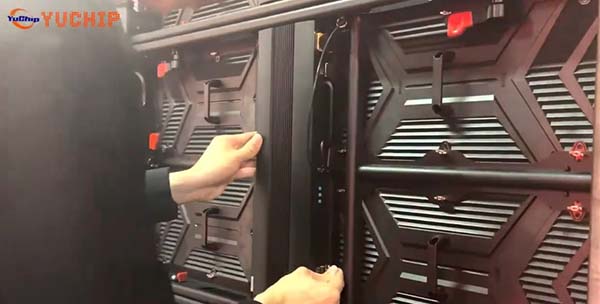
During commissioning or maintenance, record the ambient temperature, selected module or cabinet temperature measurement points, screen brightness, and input power. If power consumption needs to be compared before and after a ventilation improvement, keep the displayed content and brightness settings consistent and allow the screen to reach a comparable operating condition.
Also inspect ventilation openings, fan operation where fitted, dust accumulation, and any obstruction around the cabinet. Follow the manufacturer’s temperature limits and maintenance instructions rather than applying a universal temperature target to every display.
For a meaningful energy assessment, include auxiliary cooling equipment in the measurement boundary when it contributes to the installation’s electricity use. This provides a more realistic picture of operating costs than measuring the LED display alone.
How to Compare Energy-Efficient LED Displays
If you are purchasing an LED display for a commercial or outdoor project, compare more than the advertised maximum power consumption.
The following checks can help you evaluate different suppliers more fairly.
| What to compare | What to ask the supplier |
| Maximum power consumption | What is the specified maximum power per square meter, and what electrical design assumptions does it use? |
| Average power consumption | What brightness, content, and operating conditions were used for the measurement? |
| Display brightness | Does the display provide the brightness required for the installation without unnecessary over-specification? |
| Power supply efficiency | What are the power supply specifications under the relevant operating load? |
| Energy-saving technology | What measurable benefit does the design provide, and how was that benefit tested? |
| Complete-system power | Are the control system and other necessary components included in the quoted figure? |
For the most meaningful comparison, request test results from the complete display under comparable conditions. Ideally, the supplier should identify the display size, brightness setting, test content, measurement method, and whether auxiliary equipment is included.
If the figures are based on different conditions, ask for clarification before using them to estimate operating costs.
This process helps you distinguish between a genuine improvement in energy efficiency and a lower power figure that results from different test settings.
How Much Can You Save with an Energy-Efficient LED Screen?
The potential savings depend on how much the display’s average power consumption decreases, how long it operates, and the electricity rate.
Consider the following illustrative comparison for a 20 m² display operating 12 hours per day for 30 days.
Assume the first display has an average power consumption of 200 W/m², while a second display consumes 160 W/m² under comparable operating conditions.
Display A
20 m² × 200 W/m² ÷ 1,000 = 4 kW
4 kW × 12 hours × 30 days = 1,440 kWh per month
Display B
20 m² × 160 W/m² ÷ 1,000 = 3.2 kW
3.2 kW × 12 hours × 30 days = 1,152 kWh per month
Estimated monthly electricity saving
1,440 − 1,152 = 288 kWh
At an electricity rate of $0.15 per kWh, the estimated saving would be:
288 × $0.15 = $43.20 per month
Over 12 months, that would amount to $518.40, assuming the operating schedule, electricity rate, and average power consumption remain unchanged.
These figures are illustrative only. They do not represent a tested comparison between two YUCHIP products.
Is an Energy-Efficient LED Screen Worth the Extra Cost?
To evaluate the investment, compare the additional purchase cost with the expected electricity savings over the display’s service life.
A simple payback calculation is:
Payback period = Additional purchase cost ÷ Annual electricity cost savings
For example, if an energy-efficient configuration costs an additional $1,000 and is expected to save $500 per year in electricity, the simple payback period would be two years.
This calculation excludes financing, maintenance differences, changes in electricity prices, and other operating costs. It also assumes that the estimated energy savings are supported by reliable measurements.
For a display that operates for many hours each day, even a modest reduction in average power consumption may become financially meaningful over time. For a screen that operates only occasionally, the same hardware premium may take much longer to recover.
The best decision depends on the project’s operating schedule, electricity costs, required performance, and total ownership cost—not on an energy-saving claim alone.
Final Thoughts
Reducing LED screen power consumption starts with understanding how your display operates. Appropriate brightness settings, efficient hardware, sensible operating schedules, and accurate power measurements can all help control long-term electricity costs.
When planning a project, compare average power consumption under clearly defined operating conditions rather than relying on maximum power figures or general energy-saving claims alone.
At YUCHIP, we offer LED display solutions for different indoor and outdoor applications, including the Eco Pro outdoor LED display series. The right choice depends on your required brightness, screen size, installation environment, and operating schedule.
Explore our energy-saving LED display solutions to learn more about the available options. If you are planning a new LED display project, contact our team to discuss your application requirements and identify a suitable display configuration.
FAQs
1.Does an LED screen consume electricity when displaying black content?
Yes, in most cases. Black content may reduce the power used by the LEDs, but the control system, driver circuits, and power supplies may continue operating. Actual consumption depends on the display design and whether the system remains fully powered, enters standby, or shuts down.
2.Does reducing LED screen brightness save electricity?
Generally, yes. Lower brightness usually reduces LED power consumption, although the relationship is not necessarily linear. The amount saved depends on the display design and operating settings. Brightness should remain sufficient for the intended viewing conditions.
3.Is maximum power consumption the same as average power consumption?
No. Maximum power consumption describes the specified upper power demand under defined conditions. Average power consumption describes usage under a particular operating scenario. Maximum power is useful for electrical planning, while a representative average power figure is usually more appropriate for estimating electricity bills.
4.Does a smaller pixel pitch mean higher power consumption?
Not necessarily. Smaller pixel pitch changes the LED arrangement and the number of pixels per unit area, but overall power consumption also depends on LED efficiency, brightness, module design, driving methods, and other system components. Compare actual product specifications under equivalent conditions rather than relying on pixel pitch alone.
5.Do LED screens consume less power than LCD displays?
There is no universal answer. Power consumption depends on the type and size of display, brightness, image content, and operating conditions. LCD displays typically use a backlight, while direct-view LED displays generate light through their LEDs. A fair comparison requires equivalent viewing requirements and comparable measurement conditions.
6.How can I estimate the power consumption of an outdoor LED billboard?
Start with the screen area and the manufacturer’s average power consumption figure. Multiply the resulting average power by the daily operating hours and the number of operating days to estimate energy use. For outdoor installations, account for brightness adjustments, control equipment, and any separate cooling or ventilation systems where applicable.