
Introduction
When you see labels like “Motion Rate 120” or “Motion Rate 240” on a TV, it’s easy to assume higher numbers mean smoother performance.
But here’s the reality: motion rate is not a real hardware specification.
In most cases, it’s simply a marketing term used by TV brands to make a display sound more advanced than it actually is.
Quick answer:
- It is a calculated number, not a true refresh rate
- It often includes software tricks like frame interpolation
- A “Motion Rate 120” TV is often still just a 60Hz panel
This is why many buyers feel confused when comparing TVs—especially for sports, gaming, or action movies. In fact, many people end up paying more for a higher “motion rate” without getting any real performance improvement.
In this guide, we’ll explain what it really means, how it compares to refresh rate and frame rate, and whether Motion Rate 120 or 240 actually makes a difference when buying a TV.
What Is Motion Rate?
Motion rate is a marketing term used by TV brands to describe perceived motion smoothness. It is not the same as refresh rate and does not represent real hardware performance.
It is commonly used by TV manufacturers to describe perceived motion smoothness—rather than a measurable hardware specification. You’ll often see it in product marketing to make TVs appear smoother and more advanced than they actually are.
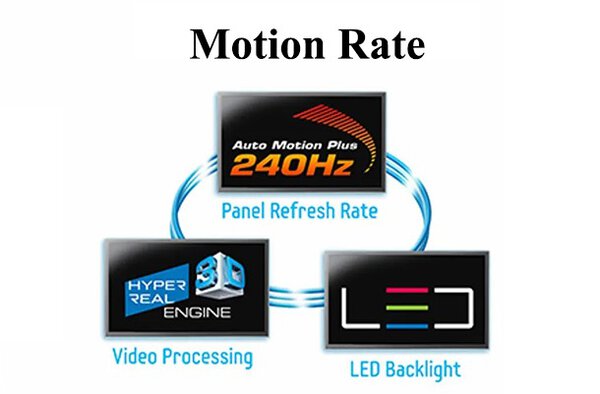
For example, if a TV panel has a native refresh rate of 60Hz, a manufacturer might apply motion interpolation (also known as frame insertion) to double the perceived frame count. As a result, the motion rate gets marketed as “120,” even though the physical refresh rate hasn’t changed.
This enhancement helps reduce motion blur and judder when displaying fast-moving scenes. But here’s the key: motion rate doesn’t reflect real hardware performance. Instead, it suggests how smooth motion may appear with software support enabled. In simple terms, it is a visual estimate—not a real performance metric.
It’s also important to note what it is not:
- It is not the same as refresh rate (which is hardware-based).
- It is not equivalent to the frame rate of the content you’re watching.
- It is not consistent across brands—there’s no industry-wide standard.
How Brands Calculate Motion Rate?
There is no industry-wide standard for calculating it, and each TV brand defines it using its own internal formula. This lack of consistency means one manufacturer’s “240” might not perform the same as another brand’s version.
Below is a simplified comparison showing what common motion rate values usually indicate in real-world hardware terms:
| Motion Rate | Estimated True Refresh Rate | Enhancement Techniques Used |
| 60 | 60Hz | Basic motion smoothing or none |
| 120 | 60Hz | Frame interpolation (adds synthetic frames) |
| 240 | 120Hz | Interpolation + black frame insertion |
| 480 | 120Hz or higher | Additional effects like backlight scanning |
Because of this, motion rate values should never be compared across brands as if they were standardized specifications.
Let’s see how different brands describe this:
- Samsung: Their “120” typically means a 60Hz panel enhanced with software-based motion interpolation. Their 240 models generally use a 120Hz panel.
- LG: LG uses the term “TruMotion.” For example, “TruMotion 240” often corresponds to a 120Hz native panel with black frame insertion.
- Sony: Sony labels their motion specs as “MotionFlow XR.”A model with “MotionFlow XR 480” may still use a 120Hz panel, but with advanced frame insertion and backlight flickering to reduce perceived blur.
Consumers often assume a higher number means a better display, but that’s not always true. The real value lies in native refresh rate and how well motion processing is executed.
Motion Rate 120 vs 240: What’s the Difference?
Motion Rate 120 and 240 are the most commonly advertised motion specs on consumer TVs, but the actual difference between them is often misunderstood. While both claim to improve motion clarity, the actual difference between them depends heavily on the panel’s native refresh rate and the brand’s processing quality.
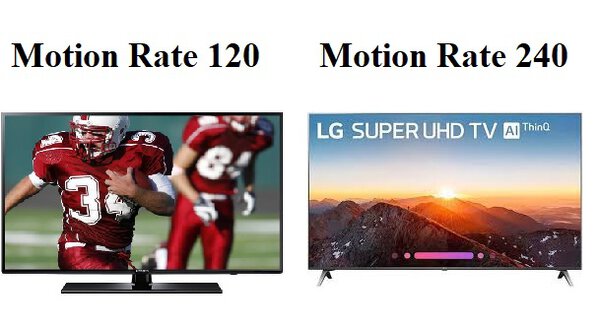
Motion Rate 120
- Usually tied to a 60Hz panel
- Adds motion interpolation to simulate 120 frames per second
- Suitable for everyday viewing like cable TV, Netflix, or YouTube
- Lower input lag, which can be beneficial for casual gaming
Motion Rate 240
- Generally based on a 120Hz panel
- Uses more aggressive motion processing, including black frame insertion
- Better suited for sports, fast action scenes, or gaming at high frame rates
- Can appear smoother, but may introduce the “soap opera effect” or other motion artifacts if processing is too aggressive.
For example, if you’re watching a soccer match in 1080p at 60fps, a Motion Rate 240 TV with a true 120Hz panel may display the action more smoothly—especially during quick pans or fast footwork. However, if motion smoothing is overdone, the result might feel unnatural or overly processed.
So is Motion Rate 240 actually worth paying extra for?
Only if the TV uses a true 120Hz panel—otherwise, the difference is mostly marketing.
In short, 240 can be better—but only when it reflects real hardware, not just heavier processing.
Why TV Brands Use Motion Rate Instead of Refresh Rate?
The primary reason is marketing—not technical transparency. While most consumers have a basic idea of what “60Hz” or “120Hz” means, “Motion Rate 240” just sounds better. It’s a bigger number, and it gives the impression of cutting-edge performance—even when the actual hardware hasn’t improved.
Brands use this term to:
- Differentiate product lines without changing the panel
- Make lower-end TVs look competitive
- Capitalize on consumer confusion around motion specs
This is why two TVs with identical panels can carry very different motion rate labels.
And since there’s no enforced standard, brands can inflate these numbers as they please. That’s why one brand’s “Motion Rate 120” might look worse than another brand’s “60” depending on processing quality.
So to make a smart decision, you should always check the true refresh rate in the specs sheet (not the box label), and test motion performance in-store when possible.
Confused about LED Refresh Rate? Check our article→LED Refresh Rate Explained: Why It Matters for Displays
Motion Rate vs Refresh Rate vs Frame Rate: Quick Comparison
So after understanding what it is, you may start wondering about its relationship with refresh rate and frame rate. Here is the table to make a quick comparison:
| Term | Definition | Used By |
| Motion Rate | Estimated visual smoothness (includes enhancements) | TV Brands |
| Refresh Rate | Number of screen redraws per second (Hz) | Display hardware manufacturers |
| Frame Rate | Number of frames per second delivered by content (fps) | Content creators, video sources |
Example:
If you’re watching a movie at 24fps, and your TV has a 60Hz refresh rate, it can display each frame twice or interpolate to reach 60fps for smoother motion. If your TV has “Motion Rate 120,” it may be using software to insert even more frames, aiming for a smoother appearance.
But remember—more doesn’t always mean better. Some viewers actually prefer the natural motion of 24fps movies without added smoothing.
Watch this quick explanation to understand how it differs from refresh rate in real-world use:
Want to know more about Refresh Rate vs Frame Rate? You can check our article→Hz vs FPS: What’s the Difference Between Refresh Rate and Frame Rate?
Is Motion Rate Relevant for LED Displays or Digital Signage?
In short: no—it has no relevance in professional LED display systems.
Motion rate is not used in the LED screen industry. Commercial LED displays—like those used in stadiums, advertising billboards, or stage backgrounds—rely on true refresh rate and frame synchronization, not consumer-grade marketing terms.
Here’s what professionals actually care about:
- Refresh rate: Often 1920Hz, 3840Hz, or even 7680Hz in high-end LED walls
- Driver IC performance: Determines how quickly and accurately the screen updates
- Frame compatibility: Especially important for cameras capturing live events
- Low latency: Critical for real-time displays and interactive applications
For instance, an LED screen at a concert may have a 3840Hz refresh rate to avoid flickering on camera, which is far more meaningful than any “motion rate” label. So if you’re in the market for an LED video wall or signage, ignore terms like this. Focus instead on real specs and performance terms.
Final Thoughts
Motion rate should never be your main decision factor when buying a TV.
While it may suggest smoother motion, it’s ultimately a brand-created number—not a real performance spec.
Instead, focus on what actually matters:
- Native refresh rate (60Hz vs 120Hz)
- Motion processing quality
- Real-world performance and reviews
If you remember one thing, let it be this:
Motion Rate ≠ Refresh Rate.
For LED display projects, this term is completely irrelevant. Professional LED screens rely on real refresh rates like 1920Hz, 3840Hz, or higher—ensuring stable, flicker-free performance.
If you’re comparing TVs, always ignore motion rate first—and look at the real refresh rate instead.
Understanding this difference helps you avoid marketing traps and choose the right display with confidence. Still unsure? Contact us today and our experts will guide you.
Last updated: April 2026
FAQs
1.What is motion rate on a TV?
It is a marketing spec that combines refresh rate and motion enhancement techniques to make motion appear smoother.
2.What does Motion Rate 120 mean?
It usually means a 60Hz TV panel with motion interpolation to mimic 120fps motion.
3.What is Motion Rate 240?
Often refers to a 120Hz panel with black frame insertion or advanced motion smoothing.
4.Is motion rate the same as refresh rate?
No. Refresh rate is a real hardware specification. Motion rate includes enhancements and varies by brand.
5.Is Motion Rate 240 better than 120?
Sometimes. It depends on the TV’s native refresh rate and how the motion processing is implemented.
6.Do LED screens use motion rate?
Not at all. LED displays use real refresh rate specs like 3840Hz, not marketing terms.
Related Articles You May Like:
How To Improve My LED Screen Refresh Rate?
1920Hz vs 3840Hz vs 7680Hz: A Comparison And Guide
What Is Display Frame Rate? How It Impacts LED Screen Quality