
Introduction
Confused about which resolution is best for your monitor, TV, or LED display? Choosing between HD, FHD, QHD, and UHD affects clarity, performance, and cost—here’s everything you need to know to make the right choice.
From practical applications to LED display projects, each resolution has pros, cons, and ideal use cases. This guide breaks down HD, FHD, QHD, and UHD in detail, helping you understand how pixel count, screen size, and viewing distance impact the real-world experience.
This article provides a clear and structured comparison of HD, FHD, QHD, and UHD, explains how each resolution performs in practice, and helps you decide which option is best—especially for LED display projects where pixel pitch and screen size play a critical role.
HD, FHD, QHD, and UHD: What Do These Resolutions Really Mean?
A display is made up of pixels—the tiny units that form an image. More pixels in an image produce clearer and more detailed visual presentation. The four main resolutions include HD (High Definition), FHD (Full High Definition), QHD (Quad High Definition) and UHD (Ultra High Definition). Let’s see the four main resolutions:
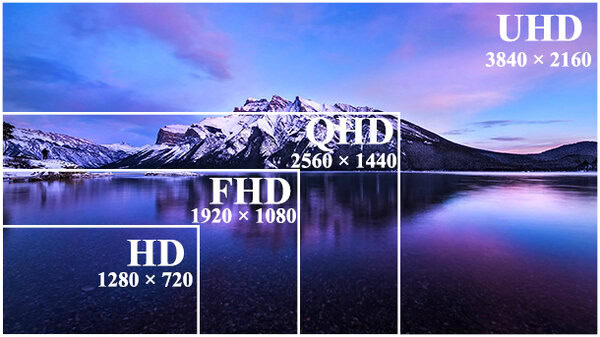
- HD (High Definition): 1280 × 720 pixels
The 720p HD standard includes a total of 921,600 pixels. Budget TVs and small portable screens still use this technology which was first introduced during the early 2000s. - FHD (Full High Definition): 1920 × 1080 pixels
Commonly referred to as 1080p, FHD contains around 2.07 million pixels—over twice the clarity of HD. It became the global standard for over a decade and is still the most widespread resolution for laptops, monitors, and LED screens. - QHD (Quad High Definition): 2560 × 1440 pixels
Also called 1440p or WQHD, this resolution packs about 3.7 million pixels. It offers four times the resolution of HD and delivers excellent visual detail, especially on 27″ or larger monitors. - UHD (Ultra High Definition): 3840 × 2160 pixels
Known as 4K in consumer markets, UHD delivers approximately 8.3 million pixels—four times more than FHD. It offers incredibly detailed visuals and is the resolution of choice for premium TVs, LED video walls, and high-end professional displays.
In short: as we go from HD to UHD, pixel count—and therefore visual quality—increases dramatically.
HD vs FHD vs QHD vs UHD: Quick Comparison for Your Screen
To better understand the differences at a glance, the table below compares HD vs FHD vs QHD vs UHD in terms of resolution, pixel count, and typical use cases.
| Resolution | Pixel Dimensions | Total Pixels | Clarity Level | Common Applications |
| HD | 1280 × 720 | 921,600 pixels | Basic | Budget TVs, entry-level LED displays, streaming |
| FHD | 1920 × 1080 | 2,073,600 pixels | Standard | Laptops, monitors, indoor LED displays |
| QHD | 2560 × 1440 | 3,686,400 pixels | High | Gaming monitors, commercial LED signage |
| UHD | 3840 × 2160 | 8,294,400 pixels | Ultra | 4K TVs, cinema screens, UHD LED video walls |
Fun fact: UHD has 9× more pixels than HD and over 4× the pixels of FHD, making it ideal for large-format or close-up viewing environments.
How HD, FHD, QHD, and UHD Differ in Clarity and Performance
The differences in resolution aren’t just technical—they affect how you see and experience content.
- HD vs FHD: The jump to FHD makes a big difference in clarity, especially on screens larger than 24 inches. Text becomes sharper, and video appears crisper.
In short: FHD is the minimum recommended resolution for screens larger than 24 inches.
Want to see more detail? Check our article→FHD vs HD: Which Resolution is Better for Your LED Screen?
- FHD vs QHD: On a 27″ screen, QHD provides noticeably more screen real estate and finer detail—especially helpful for tasks like editing 4K videos, designing, or gaming.
In practice: QHD offers a noticeable upgrade in workspace and detail without the heavy hardware demands of UHD.
- QHD vs UHD: UHD steps it up again with over 8 million pixels. It’s not only sharper but allows for detailed content playback without pixelation, even on massive screens.
For LED video walls: UHD only makes sense when pixel pitch and viewing distance can fully support it.
In the LED display industry, this difference is also tied to pixel pitch. A small pixel pitch (e.g., P1.25) is required to take full advantage of FHD or UHD content. For example, a 3×2m LED wall using P2.5mm pitch supports about 1200×800 pixels, meaning it won’t benefit from UHD content, but FHD could still look good. So, resolution choice isn’t just about the screen—it must match the display’s pixel pitch and size.
Which Resolution is Best for Your Screen and Use Case?
Choosing the right resolution isn’t about picking the highest number.
Screen size, viewing distance, and application scenario are far more important—especially for LED displays. Below is a practical breakdown based on real-world use cases.
For LED Display Screens: Choosing the Right Resolution for Your Project
- HD is often used in large outdoor LED billboards where viewers are far away (over 10 meters).
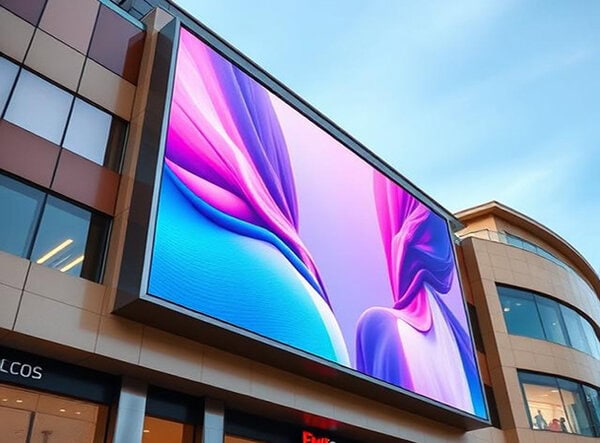
- FHD is perfect for indoor LED displays in retail stores, shopping malls, or churches with a 5–10m viewing distance.
- QHD is suitable for indoor LED setups used in control rooms or conference halls with detailed visuals.
- UHD is best for close-up LED video walls, high-end commercial installations, and live events where crystal-clear detail is essential.
Example: A 3.9mm pixel pitch screen with a 4×3m size would be around 1024×768 pixels, making it ideal for FHD-level content, not UHD.
For TVs and Entertainment: Picking the Best Resolution for Your Room
- HD TVs are now outdated and often lack modern video codec support.
- FHD TVs are still good for rooms with smaller screen sizes (32″–43″) or for secondary usage.
- QHD TVs are rare in the TV market but can be found in ultra-wide monitors.
- UHD TVs (4K) dominate the market above 50″ and are ideal for streaming 4K Netflix, gaming, or movie playback with rich color and depth.

For Monitors and Laptops: Optimal Resolution for Work and Gaming
- FHD works well on 13″–24″ laptops or office monitors.
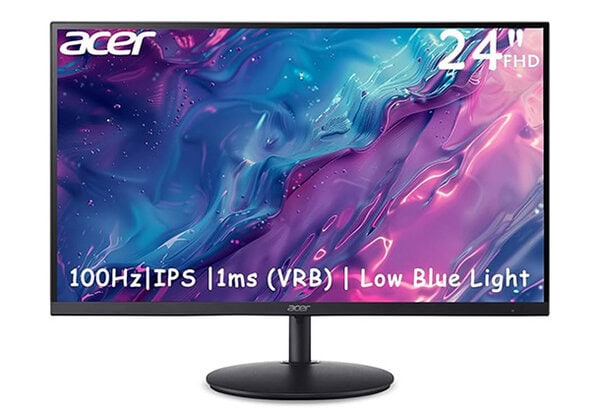
- QHD offers a balance of clarity and performance for creative professionals and gamers.
- UHD is ideal for 27″+ monitors but demands more processing power. Editing 4K videos or viewing high-resolution photography is where UHD truly shines.
For Smartphones and Tablets: Best Resolution for Sharp Displays
While screen size is small, resolution still matters for sharp UI and video playback.
- FHD is common in mid-range devices.
- QHD is preferred in flagships, especially with OLED panels and 120Hz refresh rates.
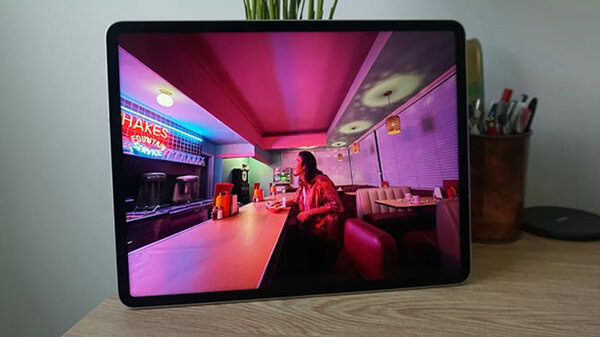
- UHD is rare due to limited perceptual benefit and higher battery usage.
Pros and Cons Summary: HD vs FHD vs QHD vs UHD
Based on these real-world use cases, the table below summarizes the pros and cons of each resolution.
| Resolution | Pros | Cons |
| HD | Low cost, low power use | Poor sharpness on large screens |
| FHD | Affordable, great for general use | Less detail for pro-level work |
| QHD | Sharp visuals, great balance of quality/price | Demands more GPU power |
| UHD | Best clarity, future-proof | High cost, needs powerful hardware and content |
If you’re choosing a resolution for an LED screen, remember: your pixel pitch, screen size, and viewing distance should all align with the resolution of the content you plan to display.
Last Updated: May 2026
Final Thoughts
Choosing the right resolution ensures your screen investment delivers the best visual quality, performance, and cost-effectiveness. FHD remains a solid choice for general users, QHD provides a noticeable upgrade without heavy hardware demands, and UHD delivers ultimate clarity—especially when matched with the right screen size and pixel pitch.
In LED display projects, aligning resolution with pixel pitch, screen size, and viewing distance ensures content looks sharp and professional. Unsure which resolution suits your project? Contact our experts today for a free consultation.
FAQs
These are some of the most common questions users ask when comparing HD, FHD, QHD, and UHD resolutions.
1.Do I Need UHD or QHD for My LED Video Wall?
Yes. UHD offers significantly higher resolution than QHD and delivers superior clarity—especially for close viewing or large indoor LED installations.
2.Is HD Still Suitable for Outdoor Digital Signage?
Yes, HD is still used in some large-format outdoor LED billboards where viewers are far away and don’t need fine detail.
3.Is FHD Enough for Professional Work or Creative Tasks?
For general use, yes. But professionals in video editing, graphic design, or photography often benefit from QHD or UHD.
4.What Resolution Should I Use for a P2.5 LED screen?
P2.5 screens usually display around 160×90 pixels per square meter. For larger screens (e.g., 3×2m), FHD content is a good match.
Related Articles You May Like:
What Is Pixel Density? An In-depth Guide
Pixel Pitch vs Resolution: What’s the Difference?
Which Pixel Pitch LED Display Suits For Your Project?
Aspect Ratio Of LED Display Screens: An In-Depth Guide
What Is LED Display Resolution And Why Does It Matter?